Easily square an image online without losing quality. Our tool allows you to convert any picture into a perfect square.
🎨 Square Image Studio
Create stunning square images instantly
Drag & Drop Your Image
✨ Your Square Image
The perfect square is the gold standard for social media. Whether you need a square image for an Instagram post, a clean square profile picture for WhatsApp, or a professional 1:1 crop for your portfolio, our tool provides the most versatile solution online.
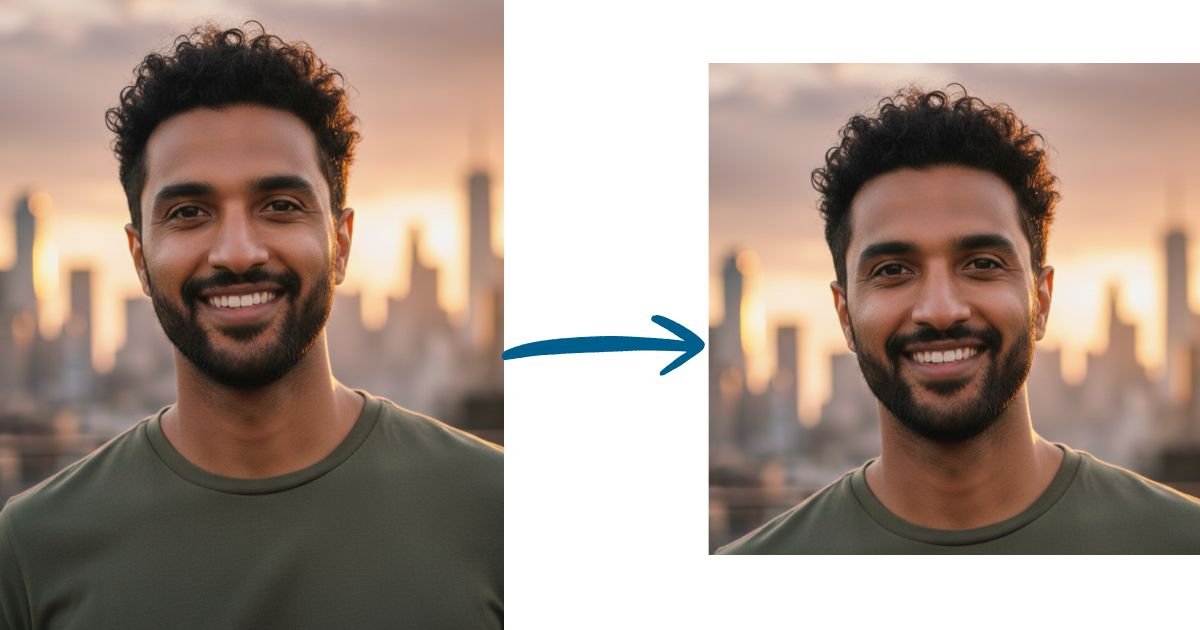
Unlike basic cropping apps, our tool allows you to square any image without losing quality, giving you full control over blurred backgrounds, solid colors, and image resizing.
How do I make an image square without cropping?
Choose the “Blur Background” or “Color Background” method. These options keep your entire photo intact and add a professional background to fill the square space. Your subject stays centered and visible; nothing gets cut off. Perfect for Instagram posts, profile pictures, and portfolios where you want to preserve the full image.
Does this tool work offline?
The initial page load requires internet, but once loaded, all image processing happens in your browser without internet connection. You can also download the squared image without internet. Your images are never uploaded, ensuring privacy and fast processing regardless of connection speed.
What’s the best square size for social media?
Instagram: 1080×1080 pixels for posts, 1440×1440 for high quality, 320×320 for profile pictures
Facebook: 1200×1200 for posts, 180×180 for profile pictures
LinkedIn: 400×400 for profile pictures, 1200×1200 for posts
Twitter/X: 400×400 for profile pictures, 1200×1200 for posts.
WhatsApp: 640×640 for profile pictures
TikTok: 200×200 for profile pictures.
You can also choose “Original Dimensions” to maintain your photo’s quality or set custom sizes.
How does the blurred background work?
The blur tool creates a smooth, professional background by blurring your original image and using it as the backdrop. Your sharp, clear photo sits centered on top while the blurred version fills the square canvas. Adjust blur intensity with the slider (1-100%) for your perfect look. The blur is applied uniformly and scales properly regardless of output size.
What image formats can I upload?
Upload JPG, JPEG, PNG, WebP, and files up to 10MB and 8000×8000 pixels. Download your squared image in high-quality PNG format. All processing happens in your browser; your images never leave your device for complete privacy.
Is this tool completely free?
Yes! 100% free with:
✓ No watermarks on downloaded images
✓ No signup or account required
✓ Unlimited image processing
✓ All four methods included (blur, color, interactive crop, auto crop)
✓ No hidden fees or premium upgrades
Process as many images as you need, whenever you need.
Are my images stored on your server?
No. Privacy is our top priority. All image processing happens client-side in your browser using JavaScript. Your photos never leave your device. They’re not uploaded to any server, seen by us, or stored anywhere. This ensures complete privacy and faster processing.
Can I adjust the blur intensity?
Yes! The blur intensity slider lets you control the background blur from 1% (subtle) to 100% (maximum). The blur effect scales uniformly across all output sizes, ensuring professional results whether you’re creating a 320px profile picture or a 2500px e-commerce image.
Can I use this for profile pictures?
Perfect for profile pictures! Recommended sizes:
LinkedIn: 400×400px (professional headshots)
Facebook: 180×180px
Twitter/X: 400×400px
WhatsApp: 640×640px
Instagram: 320×320px
Use Blur Background to keep your full photo visible, or Interactive Crop to focus on your face.
How to convert a rectangle to a square image?
Upload your rectangular (landscape or portrait) photo and choose from four methods:
Blur Background: Keeps the entire image with artistic blur fill
Color Background: Adds solid color borders around your photo
Interactive Crop: Drag and zoom to select exactly which part to keep
Auto Crop: Automatically centers and crops to a square. All methods create perfect 1:1 square images ready for download.
How do you make a photo square for WhatsApp?
We have made a separate tool to make square images for WhatsApp Profile Pictures.
Can I create a very large size square image, like 3000×3000?
Yes. This tool supports custom output sizes, so 3000×3000 works perfectly using any of the four methods above. If you specifically need 3000×3000 for Amazon listings, or print work, we also have a dedicated 3000×3000 Image Converter built around that exact size, with the same blur, color, and crop options.